Code to Cloud · Notes
13 — Development Environment & Engineering Workflow
Lecture slides and notes for 13 — Development Environment & Engineering Workflow from the Notes module in Code to Cloud by Md Ahbab. 15 pages.
Content Preview
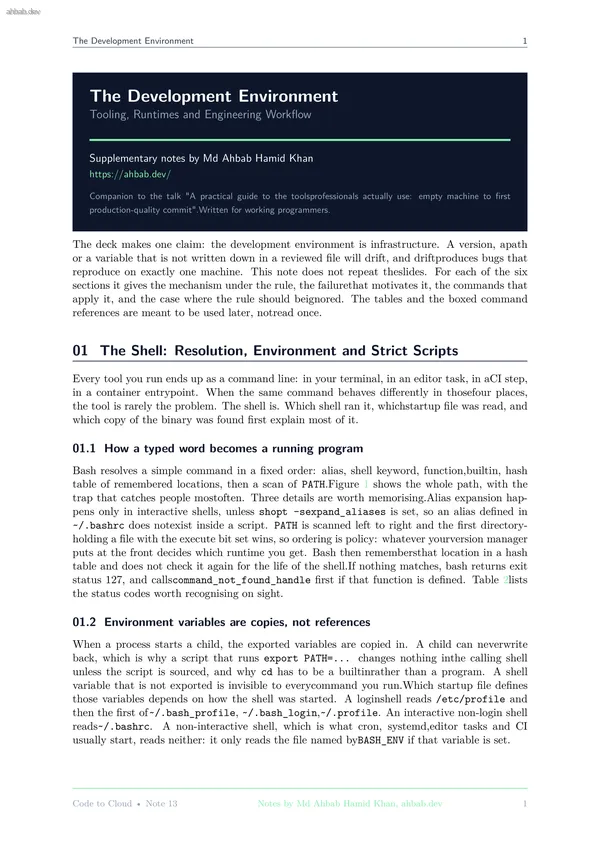
The Development Environment 1 The Development Environment Tooling, Runtimes and Engineering Workflow Supplementary notes by Md Ahbab Hamid Khan https://ahbab.dev/ Companion to the talk "A practical guide to the toolsprofessionals actually use: empty machine to first production-quality commit".Written for working programmers. The deck makes one claim: the development environment is infrastructure. A version, apath or a variable that is not written down in a reviewed file will drift, and driftproduces bugs that reproduce on exactly one machine. This note does not repeat theslides. For each of the six sections it gives the mechanism under the rule, the failurethat motivates it, the commands that apply it, and the case where the rule should beignored. The tables and the boxed command references are meant to be used later, notread once. 01 The Shell: Resolution, Environment and Strict Scripts Every tool you run ends up as a command line: in your terminal, in an editor task, in aCI step, in a container entrypoint. When the same command behaves differently in thosefour places, the tool is rarely the problem. The shell is. Which shell ran it, whichstartup file was read, and which copy of t
The Development Environment 2 word typed at the prompt 1. alias table, interactive shells only 2. shell keyword: if, for, while, case 3. shell function 4. builtin: cd, export, read, hash 5. hash table of re- membered locations 6. PATH scan, left to right, first file with the execute bit wins run it, or exit 127 if nothing matched Trap: the hash table is never reval- idated. Move, reinstall or rebuild a binary inanother directory and bash still runs the remembered path, so a command that clearlyexists reports "No such file or directory". Clear it with hash -r. Order is policy. type -a python3 lists every match in PATH order.If the version manager directory is not first, the version manager is not in control. Figure 1: Resolution stops at the first match, which is why a shell function namedgit shadows /usr/bin/git for the rest of the session and why nothing instages 1 to 5 is visible to a subprocess. Failure mode Symptom. The build runs in your terminal, and the identical command fails from acron job, a systemd unit or the editor task runner with "command not found".Cause. The PATH entry lives in ~/.bashrc, whichnon-interactive shells never read.Fix. Put the export in ~/.profile for
The Development Environment 3 default, ${VAR:-}, and required inputs can announcethemselves with ${VAR:?message}. • -o pipefail makes a pipeline return the rightmost non-zero status insteadof the last one. • IFS=$’\n\t’ removes the space from the fieldseparator, so unquoted expansions stop split- ting on spaces in filenames. Quoting everyexpansion is still the real fix. Strict mode is for scripts that other programs run. It is wrong in two places. Do not putset -e in an interactive startup file, because a failing command closes theterminal. Do not put it in a file that is meant to be sourced, because the options and anyexit apply to the caller. Command reference #!/usr/bin/env bashset -euopipefailIFS=$’\n\t’: "${URL:?set URL before running this script}"# which binary will actually run, and what else is on PATHtype -a python3command -v python3hash -r # forget every remembered location# see the environment the way a cron job or CI step sees itenv -i bash --noprofile --norc -c ’echo "$PATH"’# an expected non-zero status must be handled, not leakedif ! grep -q "TODO" src/main.py; then echo "clean"; fi# check every stage of a pipeline, not just the lastcurl -fsSL "$URL" | tar -xz -C bui
Other Documents in Notes
- 1 — Software Architecture & System Design
- 2 — Backend Engineering Across Frameworks
- 3 — Frontend Engineering & the Browser Layer
- 4 — Databases, Storage & the Data Layer
- 5 — AI Integration, Model Serving & Agentic Systems
- 6 — Containers, Docker & Kubernetes
- 7 — Cloud Infrastructure, VMs & Server Operating Systems
- 8 — Networking, Domains, TLS, CDN & Security